Designing by inversion · Replacing a broken Visual Studio tab saver

I've recently published Simple Tab Saver, a Visual Studio extension that saves and restores tabs, which I created as a side project. It started small, but turned into two things at once: a crash course in Visual Studio extension development from zero, and a months-long experiment in AI-assisted development on a real, growing codebase. Various discoveries, successes and mistakes along the way inspired me to create this series of articles, something like an engineering post-mortem.
The direct impulse to start this project was Workspace Manager (the extension I've been using) stopping working in VS2022 version 17.9 and being broken far longer than I could stay on 17.8. That eventually forced me to look for a replacement, and I didn't find one. Here's some background lore about why Simple Tab Saver exists, and how a broken predecessor shaped it. The reason it broke turned out to be more nuanced, and I'll get back to it in the closing section.
Being a tab person
I always work with lots of open tabs. I like my environment arranged and pinned in place, so I never have to wonder where an open tab went, because it's always in the same tab row, in the same position. On a large project, my whole workflow is built on instantly switching between the 30-40 tabs related to a specific area or task.
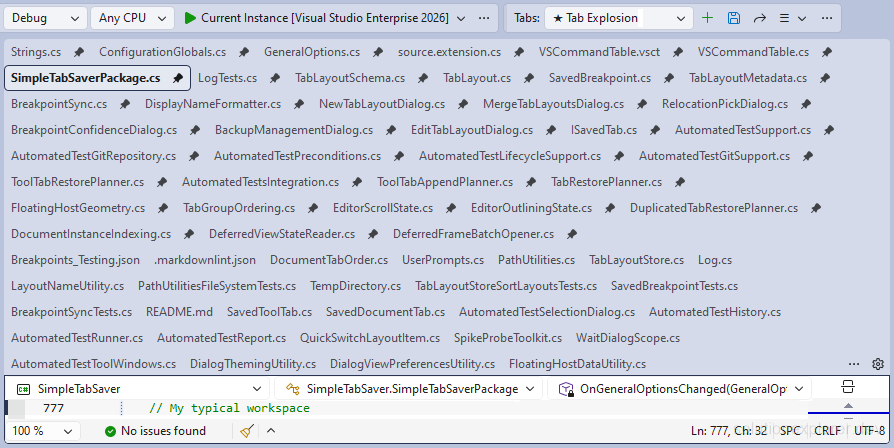
But before I settled into that workflow of switching tab arrangements, for many years I just kept one core set of tabs open and depended on Visual Studio to restore them on startup. It worked fine until one day a corrupted workspace forced me to delete the .vs folder. My carefully arranged tabs went with it, and I had to rebuild the empty tab bar by hand from memory.
Workspace Manager era
Annoyed, I went looking for an extension to solve this, and found Workspace Manager. It was just what I wanted: a small dropdown on the toolbar, easy to use, doing only what was needed, with no big tool window and no feature sprawl. I used it happily for years.
It had several painful limitations, though, and over time I understood where they came from. The saved tab arrangement was a BLOB in a SQLite table. It couldn't be inspected, offered no migration path between Visual Studio releases, and stopped working entirely if a solution got renamed or moved (because the stored data used absolute paths to the open files). Later I learned why. Workspace Manager was essentially a thin wrapper around an internal Visual Studio interface called IVsUIShellDocumentWindowMgr, which produced the same binary stream Visual Studio itself used (at the time) to store the open-document list inside the .suo file. So the extension inherited every property of that stream: the data was unreadable, used absolute paths, and was tied to the Visual Studio release.

On top of that, renamed and moved files were an everyday pain of their own. When a file moved even slightly, the restored tabs completely lost track of it and I had to reopen everything by hand. In a large monorepo where other developers rename and relocate files or folders in their commits, this happened more often than I'd have liked, and ruined my carefully prepared tab arrangements.
Holding back the updates
Despite all the flaws, Workspace Manager did its job just fine, until one day it broke. The last Visual Studio release where it fully worked for me was VS2022 version 17.8. After that, Workspace Manager became unreliable, restoring wrong tabs and outright refusing to save new ones. The extension's author eventually filed a regression report against Visual Studio 17.9 on Developer Community, pointing at a bug in IVsUIShellDocumentWindowMgr, the interface the extension was built on. ReopenDocumentWindows had started ignoring the stream passed to it, and always restored whatever set the latest SaveDocumentWindowPositions call had captured.
I discovered the breakage myself after routinely updating Visual Studio, and it forced me to roll back the update, something I had never done before. That incident showed how important the tab-saving feature had become for me: I held off updating Visual Studio for almost two years, because updating meant losing Workspace Manager, and I hoped it would get fixed. Voluntarily running an outdated IDE just to keep a tab-saving dropdown working is not a workflow preference anymore but a critical dependency.
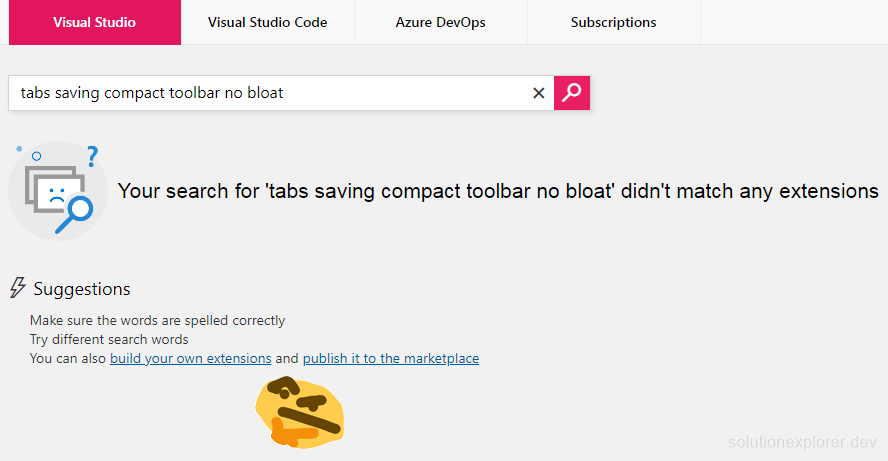
Eventually holding back stopped being viable and I had to update for real. First I searched for a replacement. I wanted a compact, simple toolbar to save and restore tabs, and the search turned up either full tool windows built around a much larger feature set, or extensions that moved all the open documents out of the tab bar into a canvas of their own. Neither matched what I was looking for. So the plan became: just build it myself. I had never written a Visual Studio extension before, but how hard can it be, right? Turns out, it's harder than anticipated, but in different ways than I thought.
Doing the opposite
The broken extension turned out to be the best design document I had. I took its properties one by one and inverted each of them into a principle, which is what I mean by designing by inversion.
| Workspace Manager | Simple Tab Saver |
|---|---|
| Opaque BLOB in a SQLite table | Plain JSON, one file per tab layout, editable by hand |
| Absolute file paths, broken by any move | Solution-relative paths, movable and shareable |
Single internal interface, IVsUIShellDocumentWindowMgr | Wide range of APIs and UI Automation, with fallbacks |
| Fixed storage location at the solution root | Configurable storage folder |
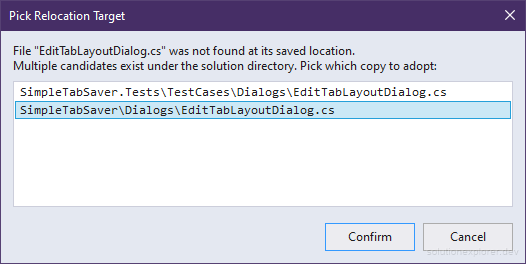
| Moved and renamed files silently dropped | Relocation detection with a pick-target dialog |
The old data was a BLOB. The new storage format in my extension is plain JSON, one file per saved tab layout, readable and editable by hand:
{
  "ExtensionName": "Simple Tab Saver",
  "SchemaVersion": "1.0",
  "Name": "Work in Progress",
  "ActiveTabFilePath": "Services\\Alpha.cs",
  "Tabs": [
    { "Order": 0, "FilePath": "Services\\Alpha.cs", "IsPinned": false, "LineNumber": 12, "ColumnNumber": 17, "IsSelected": true },
    { "Order": 1, "FilePath": "Docs\\Notes.md", "IsPinned": false, "LineNumber": 54, "ColumnNumber": 1 },
    { "Order": 2, "FilePath": "Readme.txt", "IsPinned": false, "LineNumber": 20, "ColumnNumber": 5 }
  ]
}
Workspace Manager stored absolute paths, so any move broke it. The new format stores solution-relative paths, and the whole storage folder is under the solution directory by default. This way the solution can be moved, copied to another machine, or committed with its tab layouts to a shared repository, and everything keeps working. The format also depends on nothing but file paths and a handful of integers, so nothing in it is tied to Visual Studio internals. The old extension also forced its storage file to a fixed location at the solution root, so one of the first things I added to the new extension was an option to set an external storage folder.

Most important of all, the previous extension depended entirely on IVsUIShellDocumentWindowMgr, a single point of failure which proved fatal to it in 17.9. The new extension uses a wide range of APIs and UI Automation, implements multiple fallbacks, and intentionally doesn't depend on that interface.
My answer to the rename problem I mentioned earlier was to make it a first-class design concern instead of an accepted failure. The extension detects missing files on restore, searches for relocated and renamed candidates, and asks what to do with them, so no tab gets silently dropped. That wasn't possible inside a binary format Workspace Manager didn't own, but in my own format it's a simple filesystem search and a saved-path adjustment. My oldest frustration with the previous tool became a feature of its own, which I named Drift Detection.
The one principle I deliberately carried over from Workspace Manager unchanged is the compact toolbar: a dropdown and a few buttons. Whatever the extension grew into internally, the immediately visible part stays unobtrusive, because I think saving and loading tabs is still a niche feature, and it doesn't need an entire tool window of its own.

Inversion gave me the core design. The rest came from rules I set before writing the first line: minimal external dependencies, plain and simple foundations, everything customizable but with sensible defaults, everything repetitive automated, and Visual Studio internals explored first-hand and reached through more than one interface. The automation rule alone grew into an in-process test framework that drives the extension inside a live Visual Studio instance, because in my experience a feature that can only be verified by hand quickly becomes a feature nobody verifies at all. None of these rules is a technical necessity. I chose them as self-imposed limitations before I needed them, and almost every methodology in the later articles comes directly from one of them.
Going all the way
The plan was a bare-bones save and restore tool, finished in one weekend. And that's exactly what happened: the first functional version with basic save and restore was ready after two days of work. The goal was achieved, a broken extension had its replacement, and by that measure the project was done. But it was not the end. The initial success only encouraged me to go deeper. The changelog has kept growing ever since, and the feature list includes floating window capture, tab groups, git-branch-aware tab layouts, breakpoint capture with self-correcting line anchors, autosave and autorestore, a quick switcher, multiple management dialogs, and an in-process automated test framework. The bare-bones plan didn't survive (and my extension should probably get renamed).

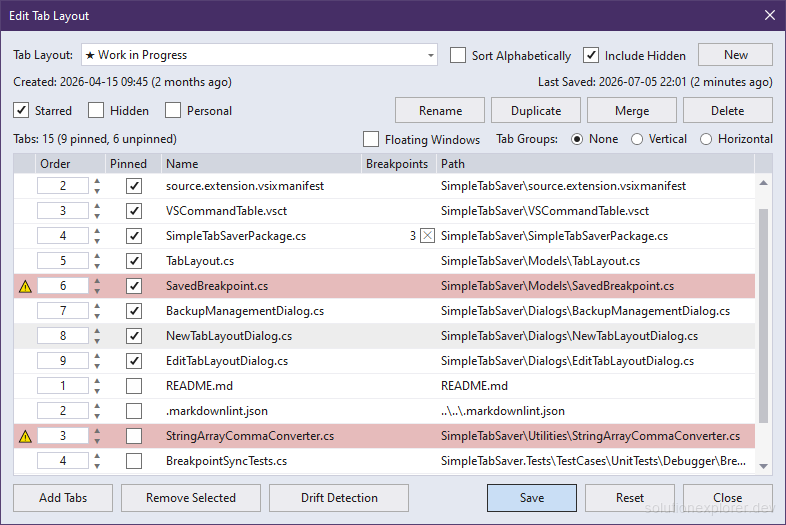
Part of that is ordinary scope growth, because once I started aiming for a perfect restore, every remaining gap felt like a challenge. The more honest reason is that somewhere early on, this stopped being primarily about tabs. I was using the project to learn Visual Studio extension development from zero, and more importantly to learn and fine-tune AI-assisted development workflows on a codebase that kept growing for months, and some of the practices that grew out of it have their own article in this series.
Before this project I was only using AI to generate snippets, stand-alone scripts, and boilerplate code, never to work on an entire project from scratch. The tab saver was almost coincidental: simply a problem I personally had, small enough to start, and deep enough to never run out of interesting challenges. A better learning vehicle would be hard to design: a domain with no documentation, a platform full of pitfalls, and a user (me) with strong preferences and a daily need that this project meets.
The best (or worst) for last
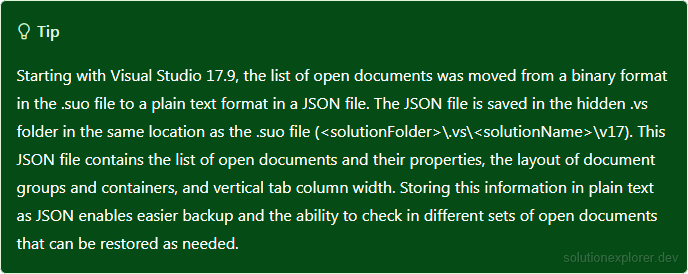
The part that I find a little bit ironic, and the reason I saved it for last, is that Workspace Manager works again in Visual Studio 2026. The bug in IVsUIShellDocumentWindowMgr turned out to come from a rework inside Visual Studio, which moved window management to a completely different internal data model. So the interface itself wasn't permanently broken. Microsoft's documentation mentions the change: starting with version 17.9, the list of open documents moved from a binary format in the .suo file to a plain JSON file in the .vs folder. Looking back, the author's bug report even shows what that transition looked like from the outside: a replay call that ignores its own input and restores the shell's latest internal state is what I'd expect to see when the implementation changes underneath an interface that stays the same.
I found that out while working on improving save and restore performance, when most of Simple Tab Saver was already done, so it didn't change a thing for me. By then my extension's scope had grown so far beyond its inspiration that going back would have been a downgrade anyway. My reason to avoid that interface hasn't changed either: it's an undocumented internal surface whose storage model has already been reworked once, and I'd expect anything built directly on it to be affected by the next rework too.
But in the end, without Workspace Manager and that "bug", my project wouldn't exist.
